Sale Price:
$37.00
Original Price:
$47.00
The Notion Content Planner 2.0 (demo) is a complete content system built for content creators who are serious about intentionally posting on social media. This content planner is broken down into 4 quarters - giving you the chance to plan your goals, pillars, content, and analyze your metrics every quarter. This template consolidates every part of your content workflow → planning, scripting, scheduling, auditing, and tracking brand deals into one cohesive Notion workspace.
This content planner has been in the works for 2 years! I started using a version of this template in 2024 and over the years I have experimented with different formats, refined it, and finally settled on version 2.0. This is the exact content planner I use to plan and organize my content, refined into something you can duplicate and make your own.
This is for you if: You're a content creator, UGC creator, or social media manager who loves to plan ahead and wants to get strategic.
This is not for you if: You're looking for a simple calendar. This is a full system and takes a little setup time up front.
A video walkthrough with examples and live demonstrations are included. A Notion Plus plan is recommended to unlock the full experience.
Main Dashboard
This is your content overview page where everything you need to know lives. You can see the status of your content by platform or stage, your active collaborations with important dates, your planned content in a monthly or weekly view, and which content still needs to be planned. Inside your weekly snapshot you can quickly add any content idea, see your weekly content recap, plus a new daily content creator affirmation quote to keep you motivated!
Social Media Strategy
The social media strategy is a step by step guide that helps you build your social media foundation from the ground up. In You will start off by auditing your current platforms, defining your target audience, setting quarterly goals, and mapping your content pillars and posting frequency by platform. From there, you are ready to start adding content ideas to your 2026 Content Bank
Content Bank (Your Content Bible)
Your content bank aka your CONTENT BIBLE is where each piece of content lives. Every idea is tagged by theme, pillar, format, platform, and production status, so you can plan weeks of content in one sitting.
Each piece of content idea has a dedicated template to plan and script your posts. The template has a space to upload your carousel images, plan your captions, reel cover, and a scripting table that breaks your video into voiceover, visuals, and text overlay.
YouTube creators get a separate content bank and video script template with dedicated space for thumbnail inspiration, title research, a structured hook-body-outro script, and my go-to AI prompts to help with SEO tags, and descriptions for YouTube.
Quarterly Audit
The Quarterly Social Audit is built to run in one focused 45–60 minute session at the end of each quarter. It guides you through your baseline metrics, content performance by format, messaging clarity, and goal alignment. The template includes structured tables and reflection prompts that turn your Insights data into a clear plan for next quarter.
Content Collaboration Tracker
The Content Collaborations Tracker keeps every brand partnership organized from first outreach to final payment, with fields for rate, payment terms, brief, contract link, and a campaign timeline.
Social Media Resources
The social media resources table is your new database for all templates, tools, courses and important links you never want to lose.
The Notion Content Planner 2.0 (demo) is a complete content system built for content creators who are serious about intentionally posting on social media. This content planner is broken down into 4 quarters - giving you the chance to plan your goals, pillars, content, and analyze your metrics every quarter. This template consolidates every part of your content workflow → planning, scripting, scheduling, auditing, and tracking brand deals into one cohesive Notion workspace.
This content planner has been in the works for 2 years! I started using a version of this template in 2024 and over the years I have experimented with different formats, refined it, and finally settled on version 2.0. This is the exact content planner I use to plan and organize my content, refined into something you can duplicate and make your own.
This is for you if: You're a content creator, UGC creator, or social media manager who loves to plan ahead and wants to get strategic.
This is not for you if: You're looking for a simple calendar. This is a full system and takes a little setup time up front.
A video walkthrough with examples and live demonstrations are included. A Notion Plus plan is recommended to unlock the full experience.
Main Dashboard
This is your content overview page where everything you need to know lives. You can see the status of your content by platform or stage, your active collaborations with important dates, your planned content in a monthly or weekly view, and which content still needs to be planned. Inside your weekly snapshot you can quickly add any content idea, see your weekly content recap, plus a new daily content creator affirmation quote to keep you motivated!
Social Media Strategy
The social media strategy is a step by step guide that helps you build your social media foundation from the ground up. In You will start off by auditing your current platforms, defining your target audience, setting quarterly goals, and mapping your content pillars and posting frequency by platform. From there, you are ready to start adding content ideas to your 2026 Content Bank
Content Bank (Your Content Bible)
Your content bank aka your CONTENT BIBLE is where each piece of content lives. Every idea is tagged by theme, pillar, format, platform, and production status, so you can plan weeks of content in one sitting.
Each piece of content idea has a dedicated template to plan and script your posts. The template has a space to upload your carousel images, plan your captions, reel cover, and a scripting table that breaks your video into voiceover, visuals, and text overlay.
YouTube creators get a separate content bank and video script template with dedicated space for thumbnail inspiration, title research, a structured hook-body-outro script, and my go-to AI prompts to help with SEO tags, and descriptions for YouTube.
Quarterly Audit
The Quarterly Social Audit is built to run in one focused 45–60 minute session at the end of each quarter. It guides you through your baseline metrics, content performance by format, messaging clarity, and goal alignment. The template includes structured tables and reflection prompts that turn your Insights data into a clear plan for next quarter.
Content Collaboration Tracker
The Content Collaborations Tracker keeps every brand partnership organized from first outreach to final payment, with fields for rate, payment terms, brief, contract link, and a campaign timeline.
Social Media Resources
The social media resources table is your new database for all templates, tools, courses and important links you never want to lose.

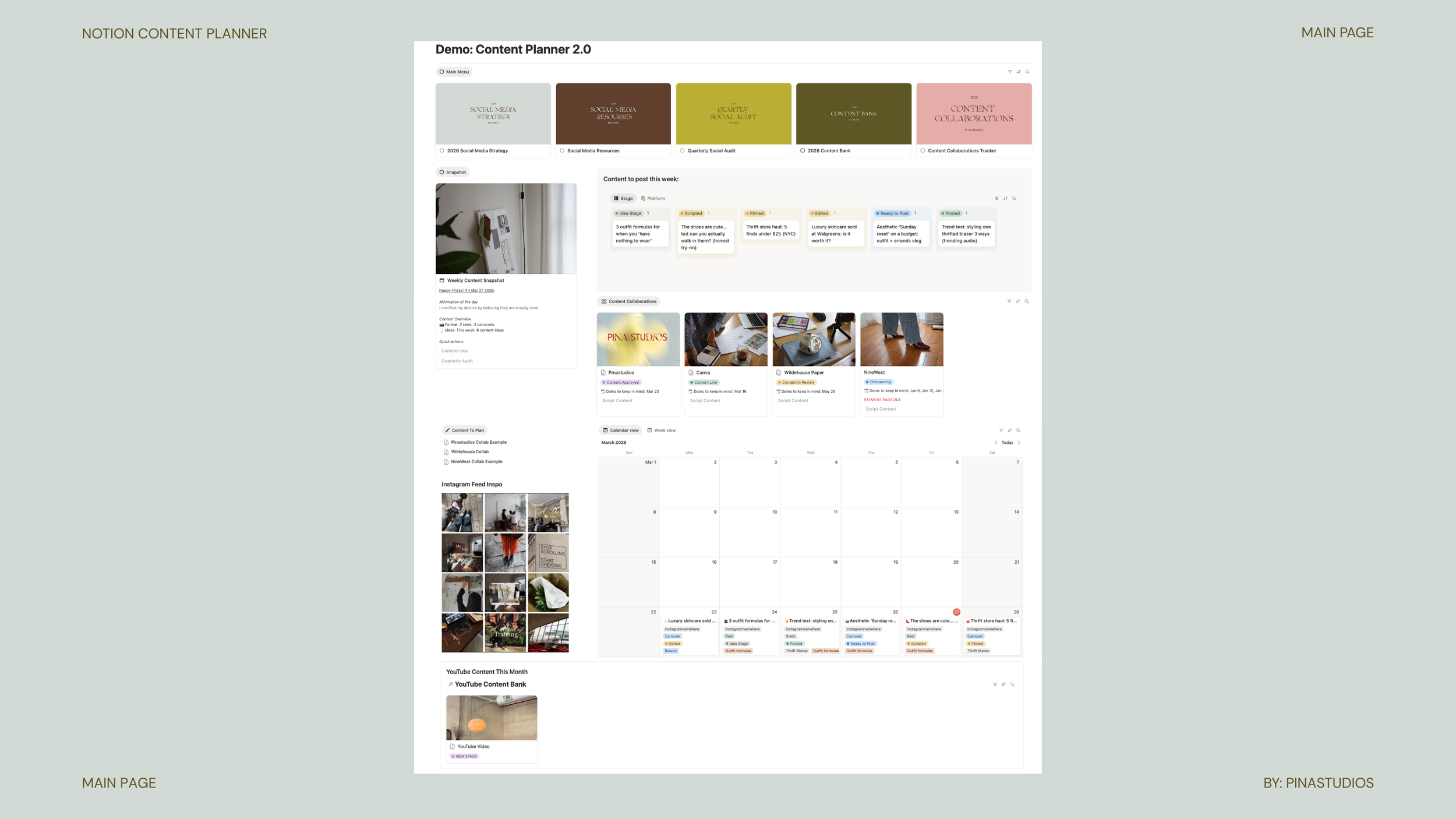 Image 1 of 7
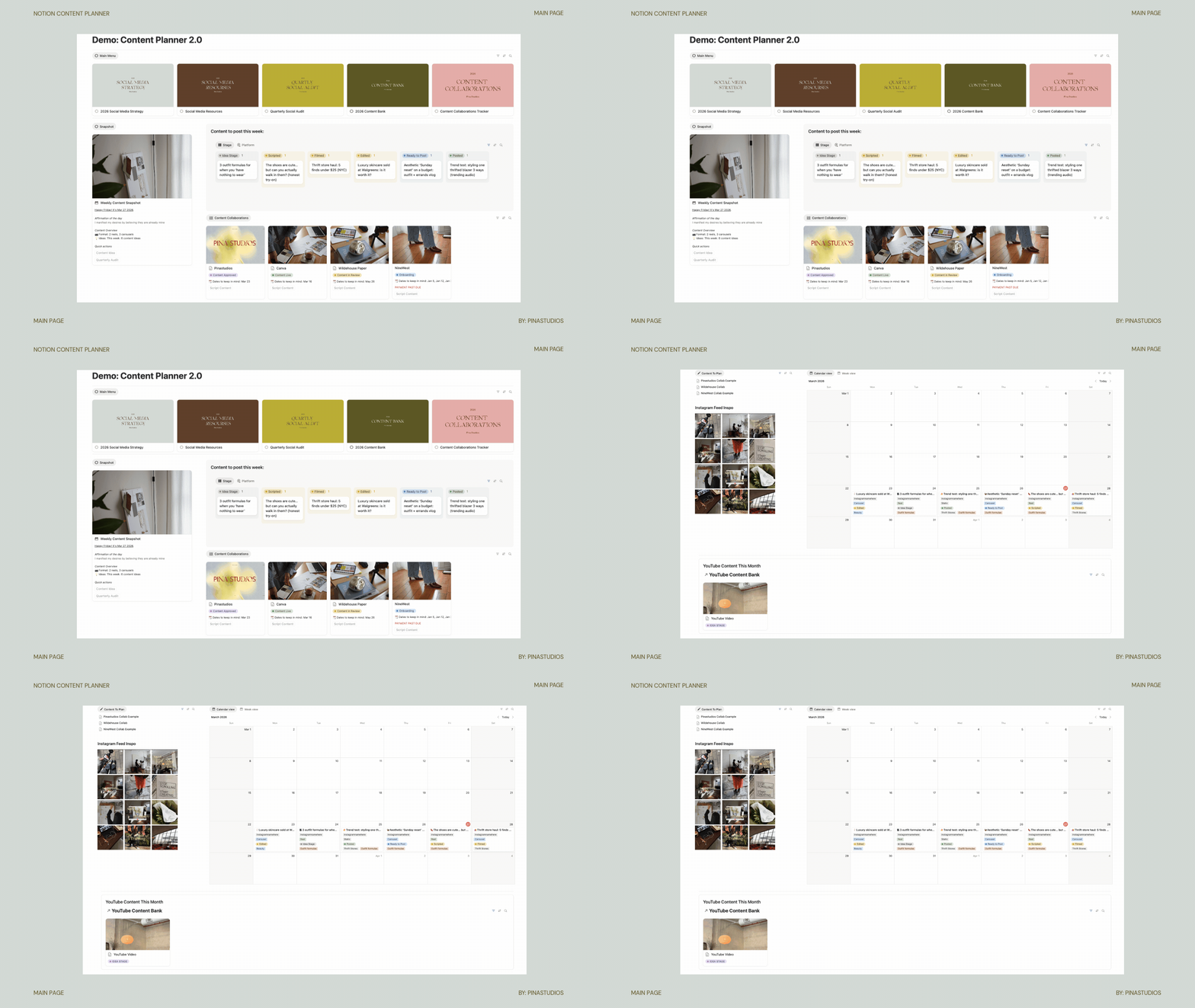 Image 2 of 7
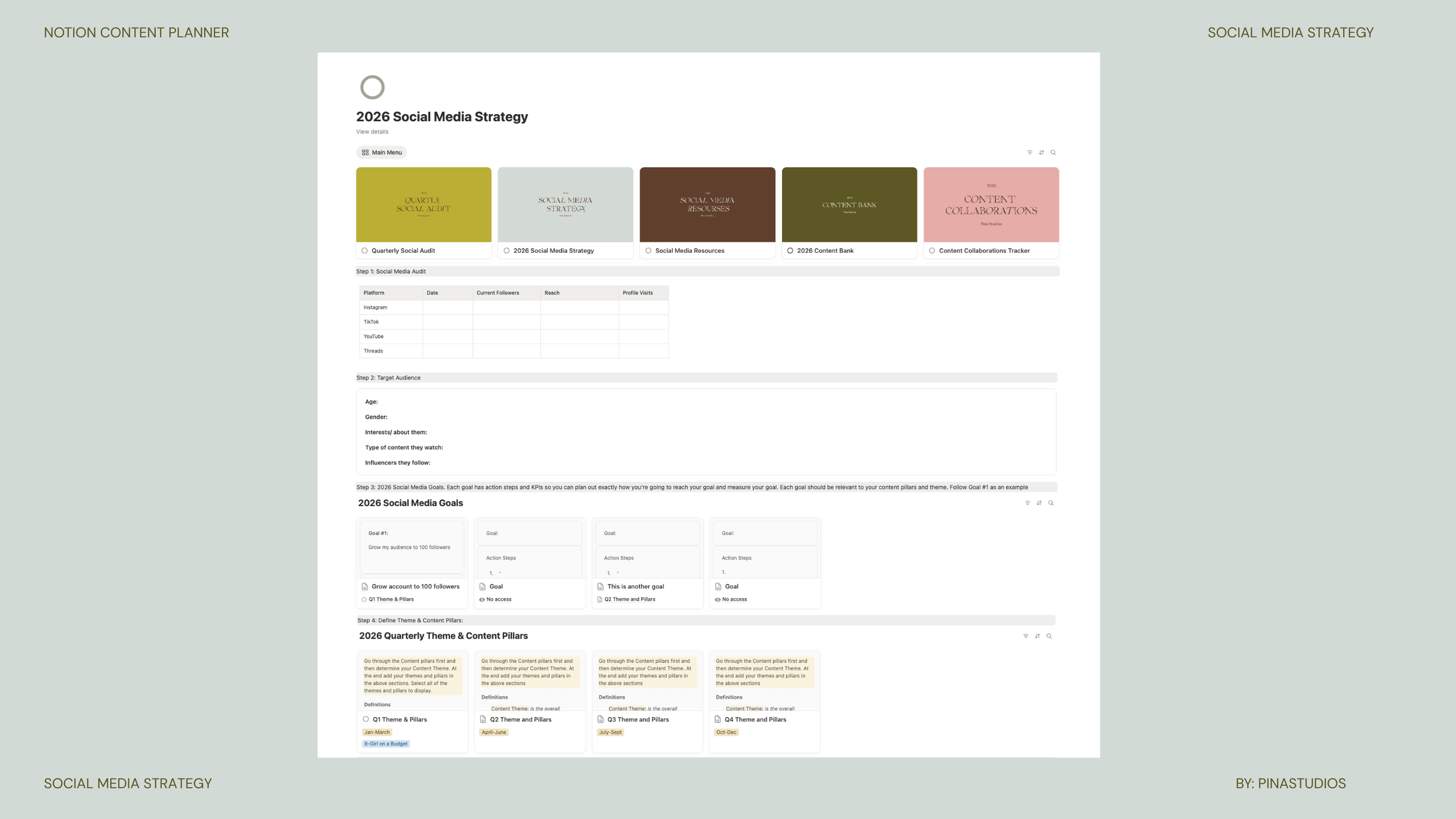 Image 3 of 7
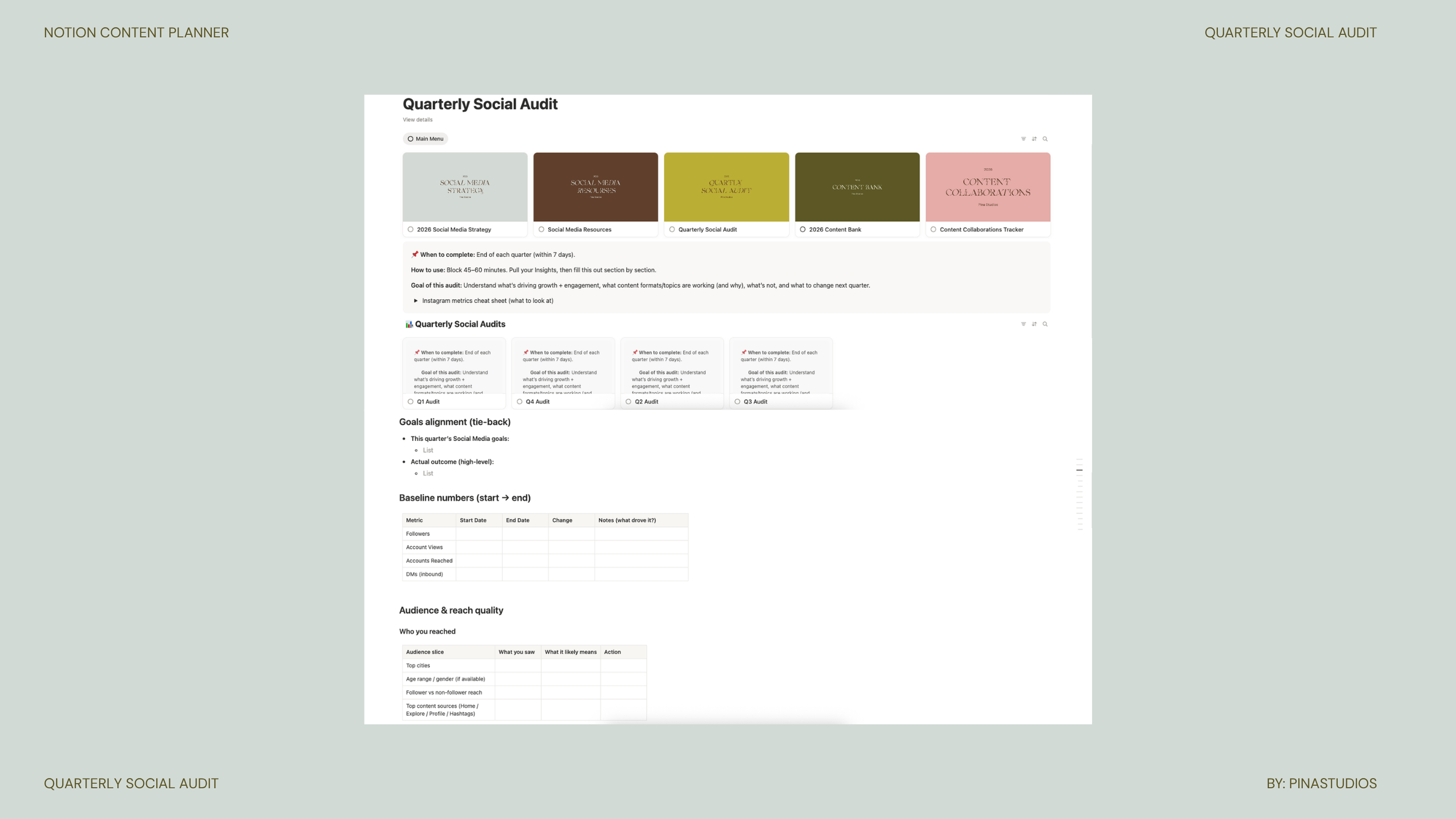 Image 4 of 7
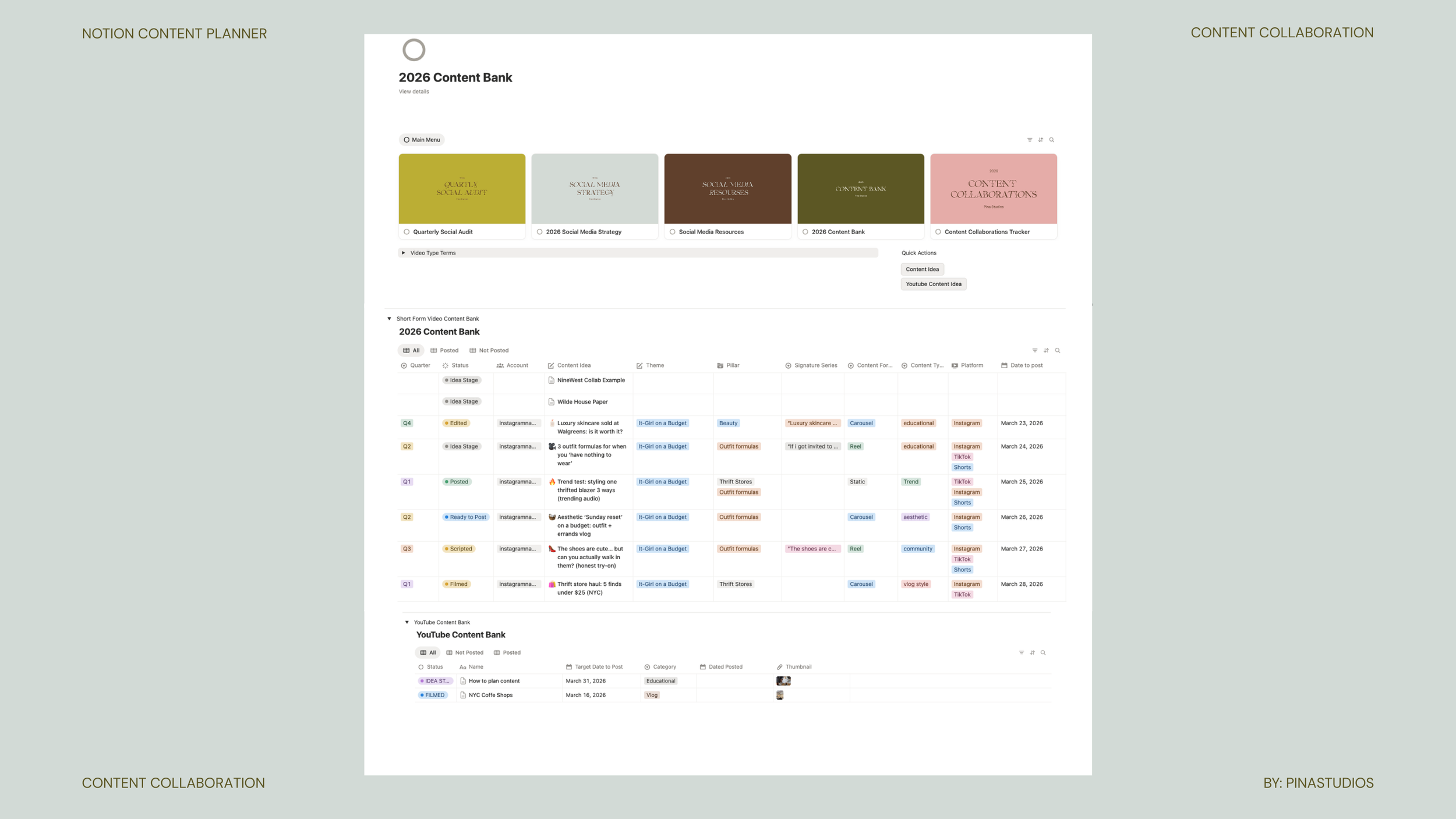 Image 5 of 7
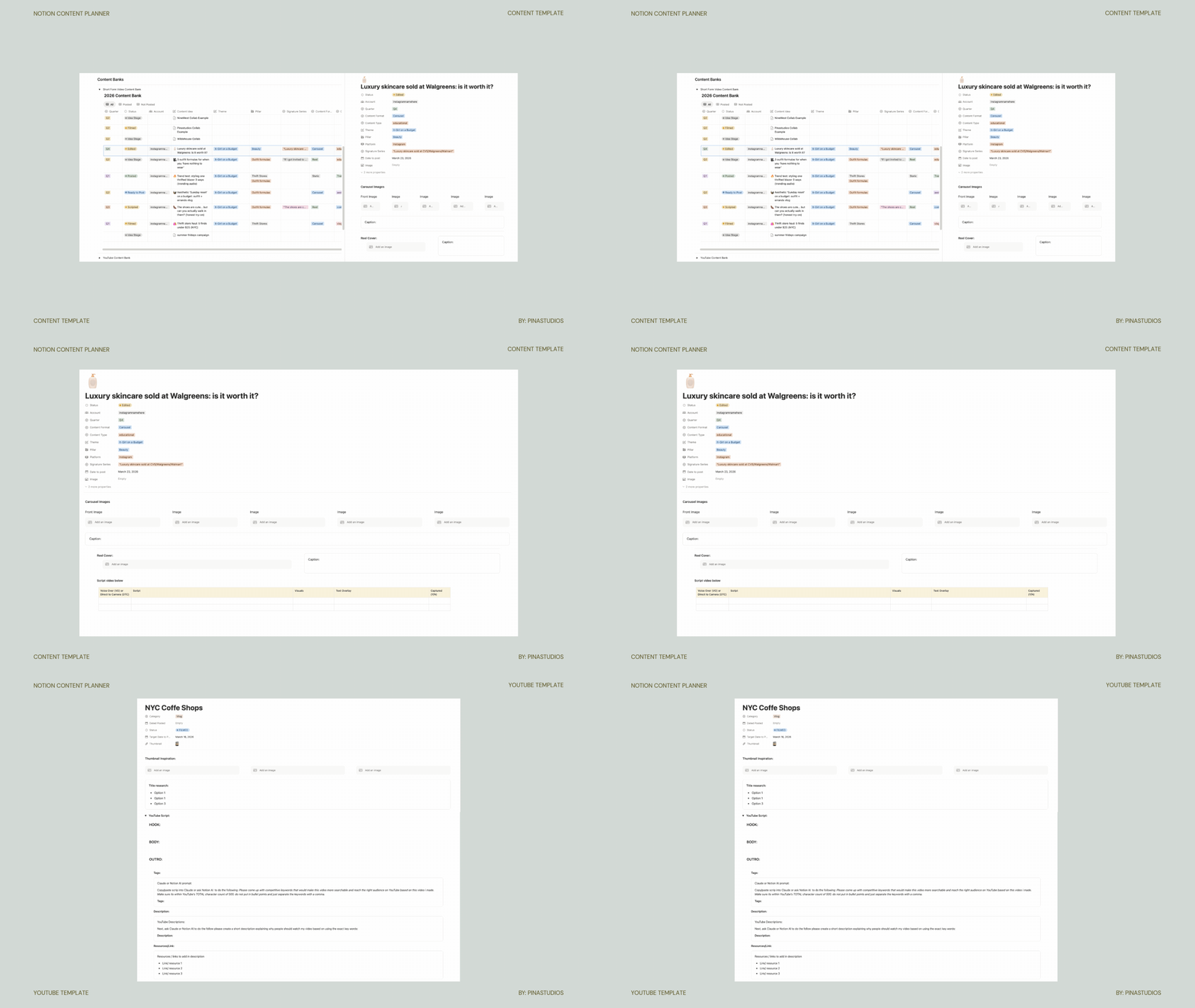 Image 6 of 7
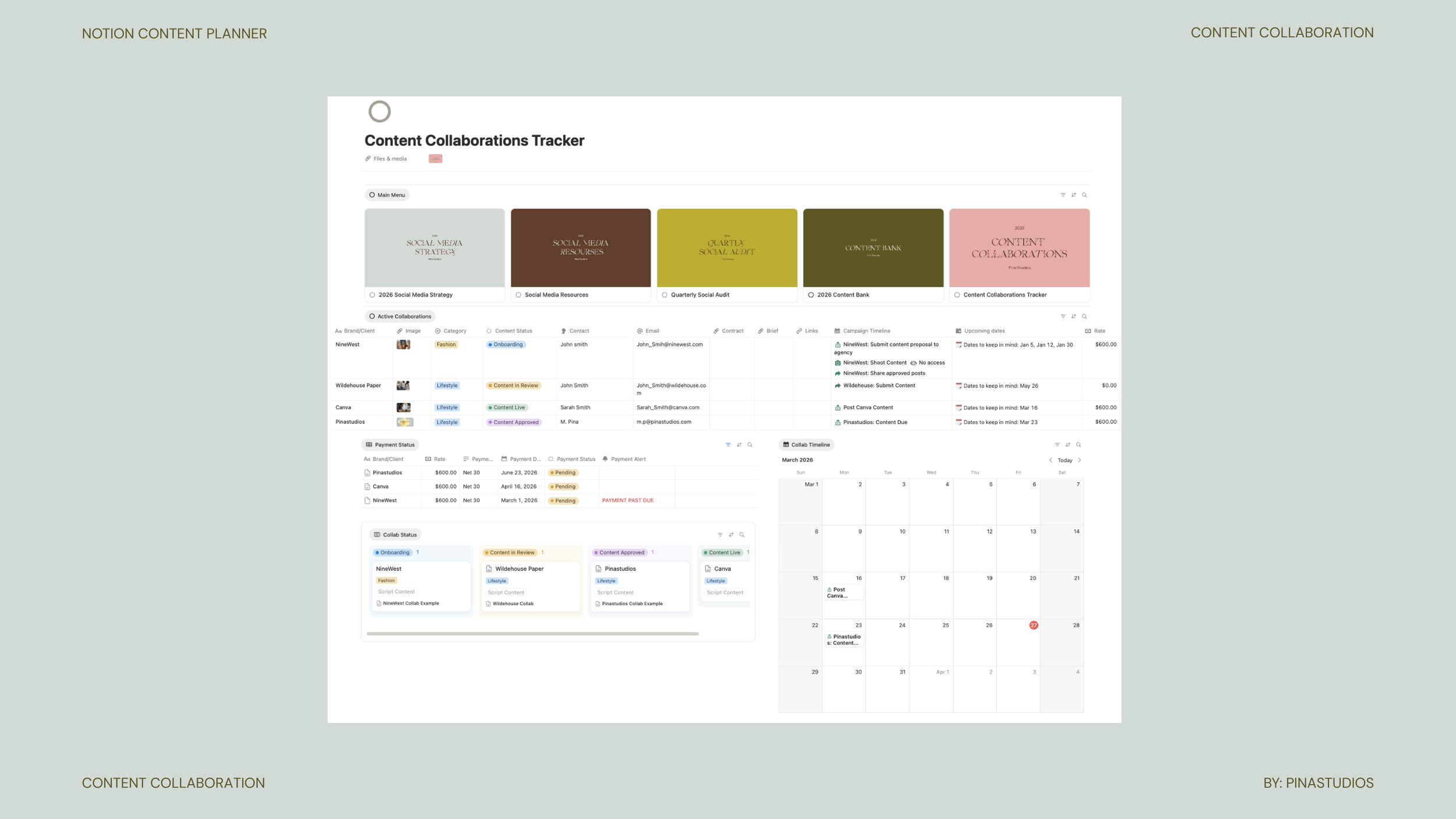 Image 7 of 7